



Mazda Connected Services Remote-Control Function Guide
There are a lot of benefits that come from driving a Mazda vehicle. You get excellent performance, great fuel efficiency, the latest entertainment technology, and more. One of the more popular features of new Mazda vehicles is its Mazda Connected Services, and the included remote control function. If you’re considering getting a new Mazda with this feature or already have a Mazda with Mazda Connected Services on board, we’re here to explain how this convent feature works. Below, we’ll explain what you get with Mazda Connected Services and how to get started with the remote control function. View our new inventory today, or If you have any questions give us a call at (817) 663-7404.
What Is Mazda Connected Services?
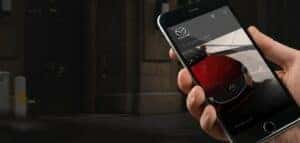
Mazda Connected Services is a range of features provided in new Mazda vehicles. With Mazda Connected Services, you have the ability to interact with your vehicle remotely using an app on your smartphone. Some of the things you can do with Mazda Connected Services include starting or stopping your vehicle, locking or unlocking the door, and viewing the status of your vehicle.
Think of Mazda Connected Services as a personal assistant for your vehicle. This service makes interacting with your Mazda much simpler and more convenient while making your driving experience more secure and safer. Best of all, it’s included with all of the new Mazda vehicles, so you’re not limited in your choices. It’s just one of the many reasons you should consider making a new Mazda your next vehicle.
Using the Mazda Connected Services Remote Control Function
To use the remote control function from your Mazda Connected Services, you’ll need to download the MyMazda app on your smartphone first. Once the app is installed on your phone, open it to find a video guide that will direct you on how to connect the app to your Mazda vehicle.
After you’ve finished setting up the MyMazda app, you can then proceed to use the remote control function. On the home screen of the app, you’ll see a large button in the center that says “START.” Press and hold this button to start the engine of your Mazda vehicle. Note that there may be a slight delay between pressing the button and the engine starting, so be sure to wait a few seconds. When you start the engine, the climate control temperature will remain the same temperature as when you last turned off the vehicle.
To turn off a running Mazda vehicle, swipe down on the center button that you used to start the vehicle. When you do this, the text inside the button will change to “STOP.” Once you see this text, you can press and hold the button to shut off the engine. Note that you cannot turn off the engine using the remote function if you start the vehicle via the push button start inside the vehicle.
You can unlock and lock your Mazda’s doors with the remote control function. When you look at the home screen where the engine start/stop button is, you’ll also see two buttons for locking and unlocking your vehicle. To the right of the center circle is the lock button, which looks like a closed lock. The unlock button is on the opposite side. Simply tap one of these buttons, depending on your desired action, and your Mazda will follow suit.
Benefits of the Remote Control Function
Making use of the remote control function in your MyMazda app can provide some great benefits. For example, let’s say it’s a particularly scorching Texas day outside in Fort Worth. Rather than getting into an uncomfortably hot vehicle, you can use the remote start function to turn on your vehicle and adjust the temperature. You can do this from inside your home so the right temperature is already set when climbing into your Mazda.
Or, let’s say you’ve recently decided to take a vacation. You drove to the airport, parked your Mazda, then got on your plane. It’s then that you realize you forgot to lock the doors of your Mazda. Rather than worrying about this for your entire trip, you can simply open the app and lock your doors remotely.
At the same time, if you left your vehicle at home and someone needs to retrieve something inside, you can easily unlock the Mazda for them with your phone. These situations may not come up incredibly often, but when they do, you’ll be glad you have the added convenience of Mazda Connected Services.
More Reasons To Explore Mazda Connected Services
Turning your Mazda on and off or locking and unlocking the doors are two great features of using Mazda Connected Services, but they aren’t the only ones. Another great feature is the ability to locate your vehicle. If you’ve ever forgotten where you parked in a crowded parking area, this feature can make quick work of finding your vehicle again.
You can also get status updates about your Mazda through Mazda Connected Services. You can see useful reminders, including when it’s time to get an oil change, all from your phone, making it easier to remember to schedule your next service appointment.
Finally, there’s the send-to-car feature. The send-to-car feature allows you to send destination data to your Mazda to quickly load up a navigation route when you get in the car. Never forget where you’re going with this handy feature included with all Mazda Connected Services vehicles.
Explore the Latest Mazda Vehicles in Fort Worth
The Mazda Connected Services package is just one of the many reasons to love the latest Mazda vehicles. Whether you need help using the features inside the Mazda Connected Services or want to get a new Mazda that comes with this package, Hiley Mazda of Fort Worth, Texas, is here to assist you. Please feel free to contact us at any time with questions or to schedule a visit to our dealership. You can also check out our latest Mazda vehicles online to see what we currently have in stock.
0 comment(s) so far on Mazda Connected Services Remote-Control Function Guide